Tips for Creating a Relaxing Home Workspace to Boost Productivity and Comfort

Creating a relaxing home workspace can significantly enhance your productivity and comfort, making your workdays more enjoyable and efficient. Whether you work remotely full-time or occasionally from home, a well-designed area tailored to your needs can help reduce stress and increase focus. In this post, we’ll explore practical tips on how to set up a calming and productive home workspace.
Why a Relaxing Workspace Matters
A workspace that feels comfortable and inviting can have a profound effect on your ability to concentrate and complete tasks effectively. When your environment supports relaxation, you’re less likely to feel overwhelmed, which can lead to better mental clarity and longer focus sessions. Additionally, comfort helps prevent physical issues such as back pain or eye strain.
Choose the Right Location
Find a Quiet Spot
Select a space where you can work with minimal distractions. This might be a spare room, nook, or even a corner of a living room. If possible, choose a room with a door to separate work life from personal life.
Consider Natural Light
Natural light improves mood and alertness. Position your desk near a window to take advantage of daylight. If natural light is limited, use soft, warm artificial lighting to reduce eye strain.
Invest in Comfortable Furniture
Ergonomic Chair
An ergonomic chair supports your posture, reducing the risk of back and neck pain. Look for adjustable chairs with good lumbar support and the ability to alter seat height and tilt.
Functional Desk
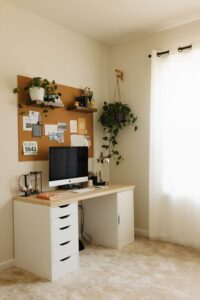
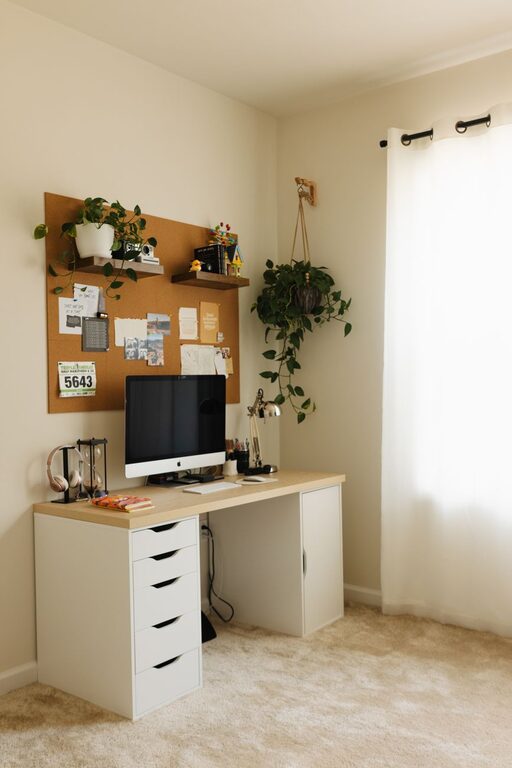
Choose a desk size that fits your work materials without overcrowding. A desk with storage options helps keep your workspace organized, which can reduce stress.
Organize for Efficiency and Calm
Declutter Your Space
A cluttered desk may detract from productivity and increase stress. Keep only essential items on your desk and store the rest neatly.
Use Storage Solutions
Shelves, drawers, and organizers can keep your supplies in order. Label containers for easy access and maintain tidiness.
Create a Soothing Ambiance
Colors Matter
Soft, neutral colors like light blues, greens, or beige can create a calm atmosphere. Consider painting walls in these shades or adding accents through décor.
Add Personal Touches
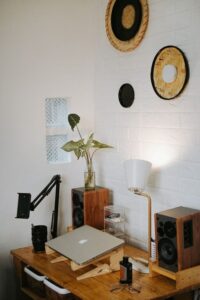
Include plants, artwork, or photos that make you feel inspired and relaxed, but don’t overcrowd the space.
Soften the Noise
If background noise distracts you, using noise-canceling headphones or adding soft textiles like rugs and curtains can help absorb unwanted sounds.
Optimize Technology Setup
Position Screens Correctly
Ensure your computer screen is at eye level and about an arm’s length away. This setup reduces eye strain and promotes good posture.
Manage Cables
Tidy cables using clips or sleeves to avoid messy tangles, which can be visually distracting.
Incorporate Break Spaces and Movement
Set Up a Comfort Zone
If space allows, include a comfortable chair or small couch nearby for breaks. A brief rest in a cozy corner can reduce fatigue.
Encourage Movement
Consider a standing desk option or take regular standing breaks to improve circulation and reduce stiffness.
Maintain Healthy Habits
Good Air Quality
Keep the room ventilated. Using a small air purifier or opening a window periodically helps maintain fresh air.
Stay Hydrated and Snack Smartly
Keep a water bottle nearby and stock healthy snacks to fuel your focus.
Regularly Update Your Workspace
Review your workspace setup every few months. Adjust lighting, furniture, or layout as needed to match changing work demands and keep the environment fresh.
—
By applying these tips, you can create a home workspace that not only looks inviting but also supports your productivity and well-being. Remember, a relaxing environment is a personal space—feel free to tailor your workspace to what makes you feel most comfortable and focused.